미들웨어란?
Request ----> Server ----> 서버내 함수(handler = controler()) ----> DB

그런데 로그인이랑 인증 요청을 처리하려면
컨트롤러 전에 믿르웨어를 사용해야 함.
Request ----> Server ----> 1. log() ----> 2. auth() -----> 서버내 함수(handler = controller()) ----> DB

아래 두개가 미들웨어
1. log(): 요청사항을 log해주는 함수
2. auth(): 인증쿠키 처리해주는 함
여기서 틀린게 없으면 인증 미들웨어가 controller에게 요청사항을 전달해줌

중간에 있느 소프트웨어지
어떤 중간에?
처음 유저가 보낸 request와 종착지(controller) 중간에 있는 함수!!!

node.js에서 많이 사용함.
server 파일이 따로 있음.
이 파일안에 사용하고 싶은 미들웨어들을 정리해놓음

근데 next.js는 서버리스임. server파일 없다.
근데 미들웨어 사용 가능!!!

client/useUser hook 모든 페이지에 사용해야 하는데. 이런걸 미들웨어로 만들어야지

pages폴더
루트폴터 안에 미들웨어 함수 적으면 됨.(12.2.0부터 루트에) middleware라고 적음 됨.
코드를 어디에 적느냐에 따라 스코프 설정이 됨.
페이지 바꿀 때마다 동작하게 하고싶다? -> 루트폴더에 미들웨어 작성
또는 프로파일 폴더 안에서만 움직일 때 동작하게 하고싶다? 해당 폴더에 미들웨어 작성
https://nextjs.org/docs/messages/nested-middleware

import type { NextRequest, NextFetchEvent } from "next/server";

export function middleware(req: NextRequest, ev: NextFetchEvent) {
  if (req.nextUrl.pathname.startsWith("/about")) {
    // This logic is only applied to /about
  }

  if (req.nextUrl.pathname.startsWith("/dashboard")) {
    // This logic is only applied to /dashboard
  }
}

이제 그냥 루트에 있는 미들웨어 파일하나로 다 써야함. 경로로 구분 하면 됨.


middleware.ts라는 이름의 파일을 root에 만들어라.

middleware
1. API 핸들러에 요청 보낼 때도 실행 됨.
2. 페이지 이동할 

19.1 Responses and Redirections

import { NextFetchEvent, userAgent } from "next/server";
import type { NextRequest } from "next/server";
import { NextResponse } from "next/server";

export function middleware(req: NextRequest, ev: NextFetchEvent) {
  const ua = userAgent(req);
  // console.log(ua);
  // if (ua?.isBot) {
  //   return new Response("Please don't be bot"); //no longer works
  // }
  if (!req.url.includes("/api")) {
    if (!req.url.includes("/enter") && !req.cookies.has("carrotsession")) {
      return NextResponse.redirect(new URL("/enter", req.url));
    }
    // if (req.nextUrl.pathname.startsWith("/chats")) {
    //   console.log("chats");
    // }
  }
  // req.geo?.country
  // hosting provider 에 따라 다름.
}

17.0 Introduction

Live streaming 구현하려면
엄청난 데이터를 처리해야 해서 강력한 서버가 필요하다.
인코딩, format변경(mp4) 해야 함.
데이터 집약적, 컴퓨팅 집약적임.

역시 우린 서버리스이기 때문에 서버가 없다.


OBS 라이브방송 - 리얼 스트리머들많이 사용함.
or
LiveNow 앱

라이브에서는 RTMP (Real-time message protocol) 사용함.

17.1 Streaming From Dashboard
모든 스트리밍을 하면
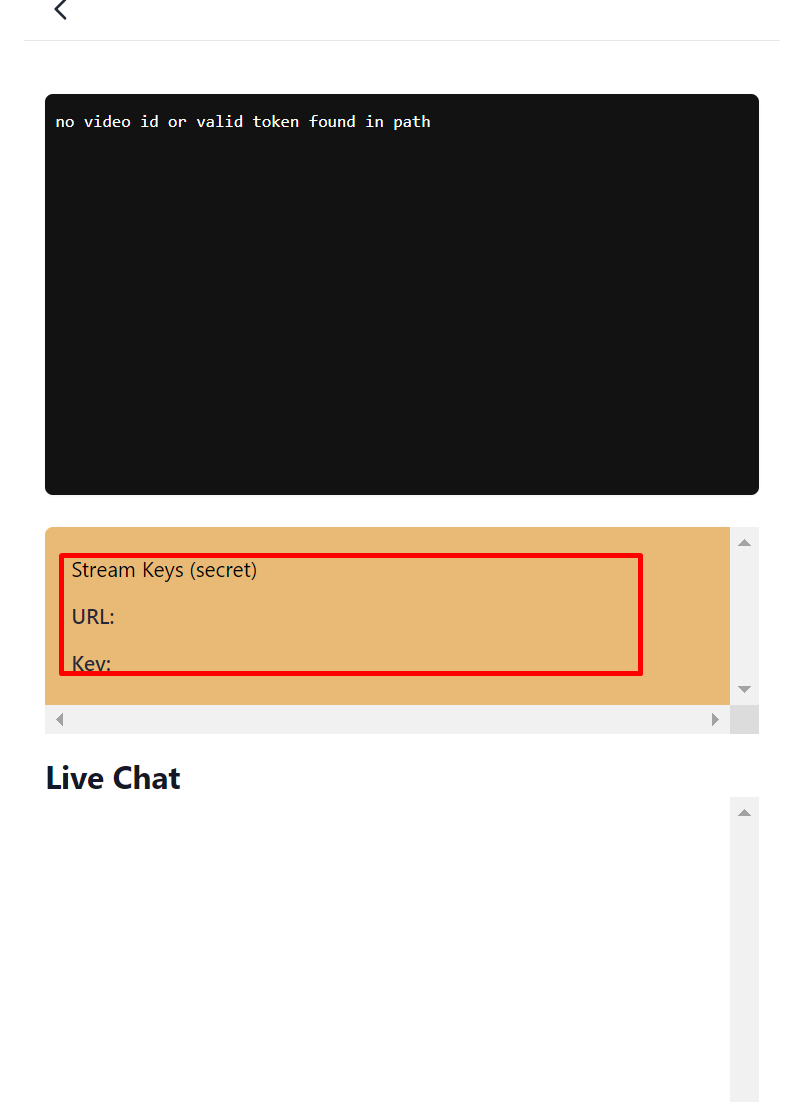
URL과 key를 줄텐데 이거 가져가면 키드내핑 당함.
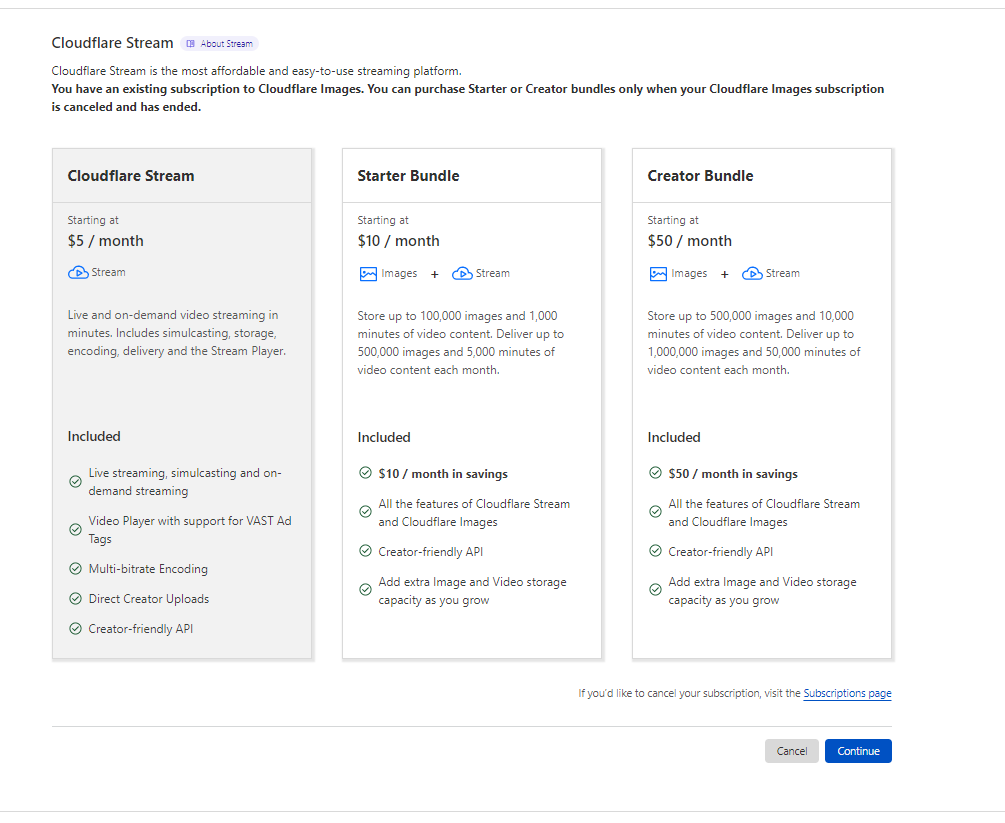
일단 클라우드플레어 같은데서 결제하고 라이브 스트리밍을 해.

그리고 앞서 말한 OBS라이브방송이나 LiveNow같은 앱에 url과 key를 입력하면
OBS에서 보이는게 (https://obsproject.com/) cloudFlare에 올라가게 됨.

OBS

30초 가량 딜레이가 있다.

17.2 Streaming API
이제 API 사용서 해보자.
https://developers.cloudflare.com/stream/stream-live/start-stream-live/


Start a live stream · Cloudflare Stream docs

You can start a live stream using the Stream dashboard or the API. After you subscribe to Stream, you can create Live Inputs and begin sending your live video …

developers.cloudflare.com

돈내야해서 안하기로 함.

코드는 작성함.

 const {
  result: {
    uid,
    rtmps: { streamKey, url },
  },
} = await (
  await fetch(
    // https://developers.cloudflare.com/stream/stream-live/start-stream-live/
    `https://api.cloudflare.com/client/v4/accounts/${process.env.CF_ID}/stream/live_inputs`,
    {
      method: "POST",
      headers: {
        Authorization: `Bearer ${process.env.CF_STREAM_TOKEN}`,
      },
      body: `{"meta": {"name":${name}},"recording": { "mode": "automatic", "timeoudSeconds":10 }}`,
    }
  )
).json();
cloudflareId: uid, //비디오 보기 위함
cloudflareKey: streamKey, // 방송의 오너에게 줘야 함.
cloudflareUrl: url,// 방송의 오너에게 줘야 함.
sugar댓글

Using the Stream player (스트림 플레이어 사용)
아래 iframe 태그를 사용하여 웹 페이지에 스트림 플레이어를 넣을 수 있습니다.
$VIDEOID에는 비디오 UID(또는 서명된 토큰)을 지정해줍니다.
```
< iframe
src="https://iframe.videodelivery.net/$VIDEOID"
style="border: none"
height="720"
width="1280"
allow="accelerometer; gyroscope; autoplay; encrypted-media; picture-in-picture;"
allowfullscreen="true"
>< /iframe>
```
https://developers.cloudflare.com/stream/viewing-videos/using-the-stream-player/

@cloudflare/stream-react
Cloudflare Stream용 공식 React 컴포넌트
https://www.npmjs.com/package/@cloudflare/stream-react

Displaying thumbnails (썸네일 표시)
방법 1) 즉석에서 썸네일 생성
https://videodelivery.net/${VIDEO_ID}/thumbnails/thumbnail.jpg?time=68s&height=270
방법 2) API를 사용하여 기본 썸네일 타임스탬프 설정
방법 3) 애니메이션 썸네일 생성
https://developers.cloudflare.com/stream/viewing-videos/displaying-thumbnails/

스트리머는 아래 사진의 주황색 부분이 보일텐데 URL,Key 갖고 하면 된다.
OBS나 LiveNow에 해당 정보 넣으면 됨.

https://developers.cloudflare.com/stream/stream-live/watch-live-stream/#view-by-live-input-uid

By sugar 댓글

View by live input uid
/lifecycle 엔드포인트에 GET 요청을 보내 비디오 ID 또는 라이브 입력 uid에 대한 추가 데이터를 가져올 수 있습니다.
https://developers.cloudflare.com/stream/stream-live/watch-live-stream/#view-by-live-input-uid

Live viewer counts for third party players (실시간 시청자 수 보기)
스트림 플레이어는 기본적으로 실시간 시청자 수를 완벽하게 지원합니다. third party player와 함께 사용할 라이브 비디오의 시청자 수를 얻으려면 /views 엔드포인트에 GET 요청을 하십시오.
```
// request
https://videodelivery.net/55b9b5ce48c3968c6b514c458959d6a/views

// response
{"liveViewers": 113}
```
https://developers.cloudflare.com/stream/getting-analytics/live-viewer-count/

View by video id (녹화된 비디오 정보 가져오기)
https://developers.cloudflare.com/stream/stream-live/watch-live-stream/#view-by-video-id

Replaying recordings
https://developers.cloudflare.com/stream/stream-live/watch-live-stream/#replaying-recordings


18 Code Challenge
이제 구현은 다 끝났고 nextjs 배워보자.
그 전에,
1. 판매자와 대화하기(Talk to seller),
2. 예약중 기능, 예약날자 지나면 리뷰남겨달라는 버튼을 생성해주자.?실제 당근처럼 하면 되겠지.
인런거 연습하면 매우 좋을듯.
꼭 해야 할듯.

'클론코딩-캐럿마켓 > 전반' 카테고리의 다른 글

16 NEXTJS IMAGES  (0) 2023.01.12
15 CLOUDFLARE IMAGES - 사진 다루기  (0) 2023.01.11
14 Streams - seeding  (0) 2023.01.11
13 Profile  (0) 2023.01.09
12 동네생활  (0) 2023.01.06

16.0 Introduction
next.js에서는 img 태그 쓰지마라.
<Image> 써라.

import Image from 'next/image'
import profilePic from '../public/me.png'

function Home() {
  return (
    <>
      <h1>My Homepage</h1>
      <Image
        src={profilePic}
        alt="Picture of the author"
        // width={500} automatically provided
        // height={500} automatically provided
        // blurDataURL="data:..." automatically provided
        // placeholder="blur" // Optional blur-up while loading
      />
      <p>Welcome to my homepage!</p>
    </>
  )
}

이미지 import해서 변수처럼 쓰면된다.

https://nextjs.org/docs/basic-features/image-optimization

Improved Performance: Always serve correctly sized image for each device, using modern image formatsVisual Stability: Prevent Cumulative Layout Shift automatically
Faster Page Loads: Images are only loaded when they enter the viewport, with optional blur-up placeholdersAsset Flexibility: On-demand image resizing, even for images stored on remote server


16.1 Local Images
local image와 remote image 다루는게 다르다.
blurry 버전의 이미지 기능은 local image만 가능. 파일을 갖고있어야 함.
_next/image API Handler로 이미지 

http://127.0.0.1:3000/_next/image?url=%2F_next%2Fstatic%2Fmedia%2Flocal.a1148338.jpg&w=3840&q=75
뒤의 Q는 퀄리티. 1~100까지.

blurry 이미지 적용하기  = placeholder에 blur적으면 됨.

<Image src={myImage} placeholder="blur" quality={100}/>


16.2 Remote Images
API로 받아오는 이미지 최적화 어떻게 하는지 알아보자.
nextjs는 이미지 서버를 물어본다.
next.config.js에 다음과 같이 작성.
imagedelivery.net은 cloudflare의 서버임.

/** @type {import('next').NextConfig} */
const nextConfig = {
  reactStrictMode: true,
  images: {
    domains: ["imagedelivery.net"],
  },
};

module.exports = nextConfig;

근데 또 에러 뜸

Server Error

Error: Image with src "https://imagedelivery.net/0dNSIQsfAsyuUaSo7XjPgQ/undefined/public" is missing required "width" property.

16.3 Layout Fill
next.js는 이미지 사이즈를 알아야 한다. URL에 실제로 width넣을 필요 없음.
실제 화면에 보여질 사이즈만 알면 된다.

next.js는 내 서버에 이미지를 요청하고, 내가 태그에 적은 사이즈대로 이미지 생성 함.
그래서 실제 사용하는건 cloudflare에 있는게 아님.
로컬처럼 cloud 서비스 사용함.
https://nextjs.org/docs/api-reference/next/image#fill

<div className="relative pb-80">
    <Image
      src={`https://imagedelivery.net/0dNSIQsfAsyuUaSo7XjPgQ/${data?.product?.image}/public`}
      className="h-96 bg-slate-300 object-sacle-down"
      fill
    />
    <h1 className="absolute w-full text-center text-red-500">Hi there</h1>
  </div>

위처럼 relative주면 Image는 기본적으로 abolute라서 안보이게 할 수 있고,
위 태그 처럼 하면 배경이미지로 사용가능.
그리고 object-fit 사용하면 아주 좋음.
https://developer.mozilla.org/en-US/docs/Web/CSS/object-fit


object-fit - CSS: Cascading Style Sheets | MDN

The object-fit CSS property sets how the content of a replaced element, such as an <img> or <video>, should be resized to fit its container.

developer.mozilla.org

근데 next.js 13부터는 좀 바뀜
https://nextjs.org/docs/api-reference/next/legacy/image#layout


next/legacy/image | Next.js

Backwards compatible Image Optimization with the Legacy Image component.

nextjs.org

16.4 Conclusions:
remote image 작업할 경우.블러 효과 할 수 없음.
blurDataURL= 이런식으로 가능... 근데 굳이.

'클론코딩-캐럿마켓 > 전반' 카테고리의 다른 글

17 LIVE STREAMING, 18 Code Challenge  (0) 2023.01.13
15 CLOUDFLARE IMAGES - 사진 다루기  (0) 2023.01.11
14 Streams - seeding  (0) 2023.01.11
13 Profile  (0) 2023.01.09
12 동네생활  (0) 2023.01.06

4.4 Modifiers


4.5 Transitions,
4.6 Modifiers for Lists (07:00)

4.7 Modifiers for Forms
Group modifier

위에 그룹 클래스 추가하고 아래 group: 하면

4.8 More Modifiers 
focus-within:bg-slate-800
required:border-2 border-yellow-400
invalid:border-2 border-red-400
placeholder-shown:border-2 border-red-400
disabled:, valid:

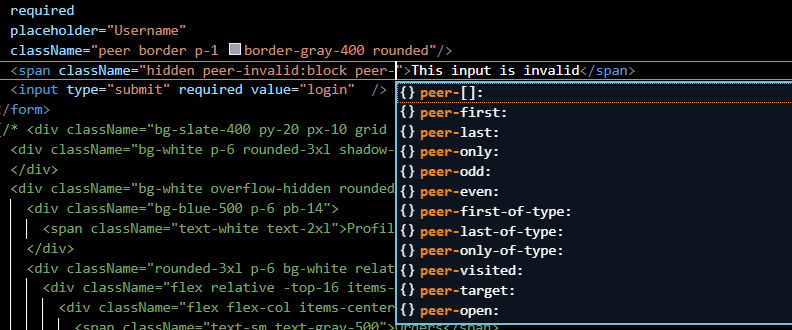
peer modifier - input의 state에 따라 다른 엘리먼트 상태 바꿀 수 있다.

CSS 선택자로

peer는 결국 ~ 셀렉터사용하는 거니까 peer 일리먼트가 먼저 와야 함.
peer-invalid같은건 그 다음 시블링으로 와야하는거지


:marker

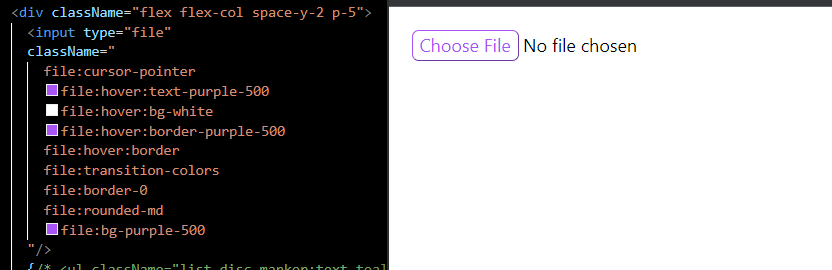
file:

<p className="first-letter:text-7xl first-letter:text-purple-400">


nextjs 셋업

https://nextjs.org/docs/getting-started

타입스크립트 사용하는 nextjs 어플 설치(react18버전이 정식출시된 상태라 딴짓 할 필요 없음. 아래처럼 하면 됨.)
타입스크립트 싫으면 --typescript 빼고.

npx create-next-app@latest --typescript


공식 릴리즈 전 코드상태 3단계
1. Alpha
2. Beta
3. RC(Release Candidate)
RC는 확정된 버전임. 다만 오류같은거만 수정하겠지.
강의 당시의 리액트 18은 RC이고, 지금은 정식버전이다.
RC버전 따로 설치하는 방법 있음.

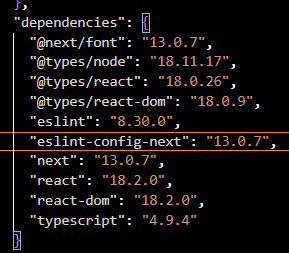
넥스트13, 리액트18
무사히 설치 후 npm run dev 해본 화면 크...멋지

tailwindcss, postcss, autoprefixer 설치

npm install -D tailwindcss postcss autoprefixer


npx tailwindcss init -p


아래 처럼 파일 두개가 생김

참고,
NPM - node package manager
NPX - node package execute
NPX는 Run a command from a local or remote npm package
npm 패키지의 커맨드를 실행 시키는 명령어.
npx는 npm run과 비슷하다는 것.
-p는 npm에서 package의 줄임말.
-p옵션으로 특정된 패치지는 실행 명령의 path에 포함이 된다 = 같이 섞여서 바로 실행된다(?)
로컬 프로젝트에 해당 패키지가 없으면, 실행된 프로세스의 PATH 환경 변수에 추가된,  npm 캐시 안의 폴더에 설치된다.
즉, 바로 설치하고 실행 시킨다는거 같음.

https://docs.npmjs.com/cli/v7/commands/npx


아래처럼 두개가 생김 postcss.config.js 는 안건드려도 됨

tailwind.config.js를 아래처럼 수정해준다.

/** @type {import('tailwindcss').Config} */
module.exports = {
  content: [
    "./pages/**/*.{js,jsx,ts,tsx}",
    "./components/**/*.{js,jsx,ts,tsx}"],
  theme: {
    extend: {},
  },
  plugins: [],
}
//tailwind를 어디에서 사용할 것인가 설정
//./pages/**/*.{js,jsx,ts,tsx}의 의미는
//page폴더 아래 모든 폴더(**)의 모든 파일(*)에서 {}안의 확장자들.

그리고 global.css에 아래 내용을 추가한다.

아래 다 있음.
https://tailwindcss.com/docs/installation/using-postcss

계속...

+ Recent posts